

When you’re starting to build a new website, or you’re redesigning an existing one, one of the biggest decisions you’ll have to face is how to actually build the thing. Sure, you’ve chosen WordPress as your CMS framework because of it’s reliability, consistent updates and large community support base. However, the question becomes: should you use a page builder like Elementor or Divi? Should you go with WordPress’s built-in Block Editor? Or should you invest in a completely custom theme?
If you’re a business owner, SEO optimizer, or hobbyist trying to make sense of this landscape, this article was written specifically for you. Let’s break down what actually works in todays internet landscape, what costs what, and most importantly, what will still be working (and fast) three years from now. Because at the end of the day, who wants to redesign a site they just spent 1-3 months or longer working on? Not us, that’s for sure. So let’s dive in – we hope our experience in the industry helps you make an informed decision!
The Page Builder Landscape: The Major Players/Options
Page builders promised to democratize web design, making it more accessible to any and all users. You simply drag, drop, and you’re done. No code required! For many small projects and developers, they’ve delivered on that promise. But as your site grows, the cracks start to show. Lots of page builders are perfect for those one page websites, small business websites and etc, but if you’re building a large-scale project like a forum, highly interactive site, etc; these large overheads can really start to mess you up.
The Big Players (And What They’ll Cost You)
Elementor

- Cost: Free version available, Pro starts at $59/year (1 site) to $399/year (1,000 sites)
- Market share: The most popular page builder, powering millions of sites
- The good: Intuitive interface, massive template library, strong community support
- The reality check: Heavy on resources, adds 200-500KB of CSS/JS even on pages you’re not using it, known INP performance issues
Divi

- Cost: $89/year or $249 one-time (unlimited sites)
- Market share: Strong following, particularly with agencies
- The good: Visual builder that works on the front-end, massive design system
- The reality check: Proprietary shortcode system locks you in, notoriously difficult to migrate away from, adds significant page weight
WPBakery (formerly Visual Composer)
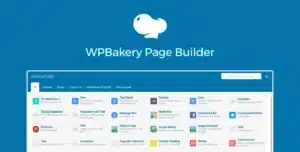
- Cost: $64 one-time (included with many themes)
- Market share: Still widely used, especially in ThemeForest themes
- The good: Often bundled free with premium themes
- The reality check: Outdated architecture, poor performance, being phased out by most serious developers
Beaver Builder

- Cost: $99/year (unlimited sites) to $399/year (agency)
- Market share: Smaller but loyal user base
- The good: Cleaner code output than competitors, more performance-conscious
- The reality check: Still adds overhead, smaller template ecosystem
The Hidden Costs Nobody Talks About
Wedū Media holds licenses for all of these page builders, so we ought to know what we are talking about: When you buy a page builder license, you’re not just buying software. You’re buying into an ecosystem that has ongoing costs most people don’t calculate upfront. I can hear you through the screen: “OK Adam, fancy language, but what does that mean?” Let’s break it down:
Performance overhead: Every page builder adds extra CSS and JavaScript files to your site. Even on pages where you’re not using the builder, that code often loads. This directly impacts your Core Web Vitals, SEO rankings, and conversion rates. A 1-second delay in page load can reduce conversions by 7%.
Maintenance burden: Page builders need constant updates. Miss an update and you risk security vulnerabilities. Update too quickly and you might break your site. This becomes a monthly tax on your time or your developer’s time. We’ve had entire site layouts break over a simple update from all 4 of these builders, which, if you are not properly working in a standardized Development → Staging → Production workflow, could put your clients website down with no return until you figure out how to debug WordPress Websites
Plugin conflicts: Page builders often conflict with caching plugins, security plugins, and other essential WordPress tools. Troubleshooting these issues can consume hours or require expensive developer intervention.
Migration lock-in: If you ever want to switch builders or move to a custom theme, you’re looking at a complete site rebuild. All your content is locked in proprietary shortcodes and custom database entries.
WordPress Block Themes: The Free Alternative (With Limits)

WordPress’s native Block Editor (Gutenberg) and the newer Block Themes represent WordPress’s vision for the future. They’re free, they’re built into WordPress core, and they’re getting better with every release.
What Block Themes Do Right
No licensing costs: Built into WordPress, free forever, no subscription required.
Better performance baseline: Because they’re built with modern standards, Block Themes generally produce cleaner code with less overhead.
Future-proof: This is where WordPress is investing its development resources, so you’re betting on the platform’s future direction.
Easier to maintain: Fewer plugins, fewer potential conflicts, updates handled through WordPress core.
Where Block Themes Fall Short
Limited design flexibility: While improving, Block Themes still can’t match the pixel-perfect control of page builders without custom CSS.
Steeper learning curve: The Block Editor interface is less intuitive than drag-and-drop builders, especially for non-technical users.
Template library gaps: Fewer pre-built templates and designs compared to established page builders.
Still developing: Features and capabilities are still catching up to mature page builders.
Custom Themes: Why Serious Businesses Invest Here
Here’s where we need to have a hard, honest conversation about scale, performance, and long-term value when it comes to website development: The best performance you can possibly capture in WordPress is with a custom theme. Whether you’re trying to build a hobby site or a simple portfolio, a page builder might be perfectly adequate, and if this is your case, feel free to scroll on! But if you’re a business owner who depends on your website for lead generation, sales, or brand credibility, the math changes completely.
What “Custom” Actually Means
A true custom WordPress theme is built specifically for your business, from scratch, by experienced developers. It includes:
- Hand-coded HTML, CSS, and PHP tailored to your exact needs
- Only the features and functionality you actually use
- Optimized database queries and caching strategies
- Strategic code splitting to load only what each page needs
- Built-in performance optimization at every level
The Performance Gap Is Real (And Measurable)
Let’s look at actual numbers from sites we’ve analyzed in our portfolio:
Page Builder Site (Elementor):
- Initial load: 3.2 seconds
- Total page weight: 2.4 MB
- Number of HTTP requests: 87
- INP (Interaction to Next Paint): 420ms
- Lighthouse Performance Score: 62
Block Theme Site (Default Twenty Twenty-Four):
- Initial load: 1.8 seconds
- Total page weight: 800 KB
- Number of HTTP requests: 34
- INP: 180ms
- Lighthouse Performance Score: 84
Custom Optimized Theme:
- Initial load: 0.9 seconds
- Total page weight: 400 KB
- Number of HTTP requests: 18
- INP: 95ms
- Lighthouse Performance Score: 98
These aren’t theoretical numbers. This is the difference between a site that ranks well in Google and one that doesn’t. The difference between a site that converts visitors and one that loses them to loading screens. Custom themes run on only what they need to, after all, where as page builders or block editors need to provide you with a suite of tools in case you need them.
Here’s an example: If your website sells nothing, why would you need a theme that has modules for product carousels? Or shortcode that grabs product reviews? Each module you don’t need could be adding hundreds of lines of code, and while not all modules are called all of the time, the headers that these page builders or block editors add, really impact your site.
Implications You Can’t Ignore

Google’s Core Web Vitals are ranking factors. Since March 2024, INP (Interaction to Next Paint) has replaced FID (First Input Delay) as a key metric. Poor INP scores that are common with page builders can directly impact your search rankings.
Translation: Your choice of page builder vs. custom theme directly affects how many people find your site through Google.
A custom theme built with performance in mind will consistently outperform page builder sites in:
- Mobile search rankings (where most traffic lives)
- Conversion rates (faster sites convert better)
- User experience metrics (which feed back into rankings)
The Business Case: When Does A Custom Build Make Sense?
Your business should consider a custom theme when:
- Your site generates revenue: If your website directly contributes to your bottom line through sales, leads, or appointments, the performance gains alone justify the investment.
- You’re scaling: Adding pages, products, or features to a page builder site compounds the performance problems. Custom themes scale linearly.
- You compete in crowded markets: When your competitors have fast, optimized sites, you can’t afford the handicap of a page builder.
- You have specific requirements: Complex functionality, custom integrations, or unique design requirements are always cheaper to build custom than to hack together with page builder add-ons.
- Long-term thinking: If you plan to keep this site for 3+ years, the total cost of ownership favors custom development.
The Investment (And What It Gets You)
A professionally developed custom WordPress theme typically ranges from $5,000 to $25,000+ in 2026 depending on complexity. That’s not a typo, and yes, it’s significantly more than a $89/year page builder license.
But here’s what that investment includes:
Performance optimization: Code that’s built for speed from day one, not bolted on later. This means better SEO, higher conversions, and lower bounce rates.
True customization: Exactly the features you need, nothing you don’t. No bloat, no compromises.
Scalability: Add new pages, sections, or features without performance degradation. Your site grows with your business.
Ownership: Your code, your site, no vendor lock-in. Switch developers or hosts anytime without rebuilding from scratch.
Maintenance simplicity: Fewer plugins, fewer updates, fewer potential breaking points. Lower long-term maintenance costs.
Competitive advantage: Your site loads faster, ranks better, and converts higher than competitors using page builders.
The ROI Calculation
Let’s do some realistic math on a business that generates leads worth $500 each:
Scenario: Page Builder Site
- Development cost: $2,000
- Annual license: $89
- Performance: 3.2 second load time, 62 performance score
- Conversion rate: 2% (industry baseline)
- Monthly visitors: 5,000
- Monthly conversions: 100 leads
- Monthly value: $50,000
Scenario: Custom Theme
- Development cost: $12,000
- Annual license: $0
- Performance: 0.9 second load time, 98 performance score
- Conversion rate: 3.1% (55% improvement from speed optimization)
- Monthly visitors: 5,500 (10% SEO boost from better Core Web Vitals)
- Monthly conversions: 170 leads
- Monthly value: $85,000
The difference: $35,000/month in additional value. The custom theme pays for itself in about 11 days.
Even if we’re conservative and cut those improvements in half, the custom theme still pays for itself in less than a month.
The “But What About My Budget?” Question
The objection we hear most often: “I can’t afford a custom theme.”
Fair enough. Not every business is at the stage where a $12,000 investment makes sense. But let’s reframe the question: Can you afford NOT to invest in a proper foundation?
When a Page Builder Makes Sense
Page builders absolutely have their place. They make sense when:
- You’re validating an idea: Build fast, test the market, iterate. Speed to market matters more than optimization.
- Budget is genuinely constrained: $2,000 is better spent on a page builder site than no site at all.
- You need to make frequent design changes: If you’re A/B testing layouts weekly, page builder flexibility has value.
- Time is the primary constraint: Need a site launched in 2 weeks? Page builders can deliver.
The key is understanding this is a temporary solution that you’ll eventually outgrow.
The Hybrid Approach
Many of our clients start with a page builder and migrate to custom when the business justifies it. This works, but plan for it upfront:
- Keep your content clean: Use minimal custom styling and widgets that will be hard to migrate.
- Budget for the transition: Set aside money for the eventual rebuild.
- Track performance metrics: Monitor your Core Web Vitals so you know when performance is costing you money.
- Document everything: Make the future migration easier by keeping good records of functionality and design decisions.
Making Your Decision: A Framework
Here’s a simple framework to guide your choice:
Choose a Page Builder if:
- Your budget is under $3,000
- You need the site live in under 3 weeks
- You’ll be making constant design changes yourself
- Your business isn’t yet generating significant revenue from the site
- You’re comfortable with “good enough” performance
Choose a Block Theme if:
- You want modern WordPress without licensing costs
- Your design needs are relatively simple
- You value future-proof technology over current features
- You’re willing to learn a new system
- You have basic technical skills or a developer for occasional help
Choose a Custom Theme if:
- Your website generates measurable business value
- You compete in a performance-sensitive market
- SEO and Core Web Vitals matter to your business
- You need specific functionality that page builders can’t provide efficiently
- You’re thinking 3+ years ahead
- You want the best possible performance and user experience
Here’s what we’re seeing in 2026 that should inform your decision:
Google’s performance emphasis is increasing: Core Web Vitals weight in rankings continues to grow. The performance gap between page builders and custom themes matters more than ever.
Mobile-first is mobile-only: Over 70% of web traffic is mobile. Page builders’ desktop-centric optimization strategies don’t cut it anymore.
AI is changing the game: AI-powered content generation makes creating custom themes faster and more affordable than ever before, narrowing the cost gap.
The page builder feature race is slowing: As page builders mature, they’re all offering similar features. The differentiation is no longer in features but in performance and code quality.
What We Recommend at Wedū Media
We’re a WordPress development agency, so you might expect us to always push custom themes. But that’s not our approach.
For clients just starting out or validating business ideas, we often recommend starting with a well-configured page builder. The key is using it smartly: minimal plugins, performance-focused hosting, and a commitment to monitoring Core Web Vitals.
But when a business is generating revenue, has proven product-market fit, and is ready to scale, we always recommend migrating to a custom solution. The performance improvements, SEO benefits, and long-term cost savings make it a straightforward decision.
The sweet spot? Most businesses should plan for a page builder launch, then schedule a custom theme rebuild within 12-18 months as revenue grows. This balances immediate needs with long-term optimization.
Your Next Steps
Wherever you are in your website journey, here’s what to do next:
- Audit your current performance: Use Google PageSpeed Insights and Search Console to understand your Core Web Vitals scores. This gives you a baseline.
- Calculate your current conversion rate: If you don’t know how your site is performing, you can’t make informed decisions about investing in improvements.
- Project 18 months ahead: Where will your business be? What will your website need to support? Make decisions based on that future state, not just today.
- Talk to professionals: Whether you go page builder or custom, work with developers who understand performance optimization. The tool matters less than the skill behind it.
- Track everything: Set up proper analytics so you can measure the impact of any changes you make. Data drives better decisions.
The Bottom Line
Page builders and Block Themes both have their place in the WordPress ecosystem. They’ve made web design accessible to thousands of businesses that otherwise couldn’t afford a web presence. That’s genuinely valuable.
But if you’re serious about your website as a business asset—if it’s a revenue driver, not just a business card—then the math heavily favors custom development. The performance advantages, SEO benefits, and long-term cost savings aren’t theoretical. They’re measurable, significant, and directly tied to your bottom line.
In 2026, your website isn’t just a place people visit. It’s often their first impression of your business, your primary sales tool, and your 24/7 employee. Investing in the foundation whether that’s now or in a planned migration, isn’t an expense. It’s one of the highest-ROI investments you can make in your business.