

Not long ago, Wedū Media’s contact form was hit with one of the largest, most consistent bot attacks I’ve seen in years. Overnight, we went from a handful of real leads per day to more than 100 fake submissions per day — almost all in Russian or Ukrainian — peddling malware, scam links, or the early stages of phishing attempts.
This wasn’t just annoying. It was dangerous, time-consuming, and financially harmful. Some agencies even charge clients per lead or bonus staff based on contact form submissions. If you’re not careful, bot traffic can cost real money.
After trying every traditional anti-spam trick — Captchas, honeypots, WordFence, Sucuri — nothing worked. Eventually, I found a combination that reduced our spam to zero. This article explains exactly what happened, what failed, and the steps you can take to stop it from happening to you.
Why WordPress Forms Are Such a Big Target For Spam

WordPress powers more than 40% of the web, which makes its form plugins predictable targets. Bots don’t “fill out” forms like humans. They hit the form’s POST endpoint directly, bypassing Captcha or UI-based protections. They utilize the standardizations that WordPress provides, and they can repeatedly spam submissions. You’ll see software that exists like XEvil that helps break Captchas, residential proxies that don’t get detected by Cloudflare, I mean: These guys are good. They know what they are doing, so to combat this, we bought all of this. The same setup, and decided we would get into testing, reverse engineering what our attackers were hitting us with:
We noticed that most of the spam bots followed these patterns:
- They target popular form plugins with known HTML structures
- They POST data directly to
/wp-admin/admin-ajax.phpor the form action URL - They rotate IPs, so IP blocking becomes useless
- They bypass Captchas entirely because Captcha only protects the front-end
This is why so many website owners feel like they’ve “tried everything” and nothing works. When our own spam spike hit, I initially assumed it was just an isolated case — maybe a handful of junk submissions that would taper off on their own. But as the flood grew quite quickly, I started reaching out to other developers, agency owners, and business operators across forums, Slack groups, and private communities. What I heard was shocking: nearly everyone was fighting the exact same battle. Experienced WordPress developers, small boutique studios, eCommerce owners, local service businesses — all of them were being drowned by waves of spam that bypassed every Captcha, every honeypot, every security plugin. It became clear very quickly that this was not a minor annoyance, but a widespread issue in the WordPress world that no existing tools were truly solving. That realization pushed us to stop looking for an off-the-shelf fix and instead spearhead a new, layered solution that actually addresses how modern bots operate today.
What We Tried (And Why None of It Worked)
Before landing on the right solution, here are the tools and tactics we attempted — and why they failed:
reCAPTCHA v2 or v3
Bots simply bypassed the UI. They never saw the Captcha.
Honeypot Fields
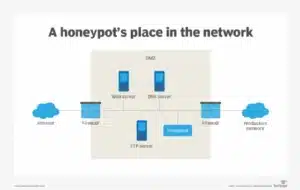
These work on very low-level bots, not modern scripts programmed to ignore hidden fields.
WordFence

Reliable for login protection, but it didn’t stop form endpoint submissions.
Sucuri
A solid firewall overall, but our spam wave got right through it.
Manual IP Blocking
Completely ineffective due to rotating IPs and distributed botnets.
All of these combined maybe caught 10% of the problem — nowhere near enough.
The Real Fix: Cloudflare + English-Only Form Filtering
After exhausting every plugin-based option we could think of, we eventually reached a point where it was clear that WordPress itself wasn’t the problem — the problem was that the malicious traffic was hitting our server <em>before</em> any plugin ever had a chance to stop it. That’s when we made the decision to move the entire website behind Cloudflare. The difference was immediate. For the first time in weeks, we could actually see where the attacks were coming from, how often the bots were hitting the form endpoint, and what patterns they were using to slip past traditional WordPress defenses. Cloudflare didn’t just slow the bots down; it intercepted and filtered them at the network edge, long before they reached our hosting environment or triggered our form processor. This one shift changed everything — instead of trying to protect a door that was being battered nonstop, Cloudflare effectively moved the door to a gated property with cameras, guards, and rules. From there, we were finally in a position to build a real defense. Here’s the exact process we followed.
Step 1: Put Your Website Behind Cloudflare
This instantly adds:
- A global firewall
- Bot filtering
- Rate limiting
- Traffic rules
Once DNS was routed through Cloudflare, we created a few WAF (Web Application Firewall) rules that made an immediate impact.
Step 2: Create Firewall Rules to Block High-Risk Regions
Our spam came almost exclusively from:
- Russia (RU)
- Ukraine (UA)
- China (CN)
- North Korea (KP)
- South Korea (KR)
Cloudflare allows you to block or challenge these countries with a single rule:
Field: Country
Operator: equals
Value: RU, UA, CN, KP, KR
Action: Block or Challenge
This removed around 60% of our spam instantly.
Step 3: Challenge POST Requests to the Contact Form
Next, we added logic to challenge anyone posting directly to the contact form URL.
Field: URI Path
Operator: contains
Value: /contact

AND

Field: Request Method
Operator: equals
Value: POST

Action: JS Challenge or Challenge
This stopped automated scripts dead in their tracks.
Step 4: Add an English-Only Character Filter to the Form
Even with Cloudflare cleaning up the majority of spam, we still noticed a consistent pattern: nearly all remaining junk messages were written in Cyrillic or non-Latin text.
So we built a simple WordPress plugin that:
- Rejects any non-English characters
- Blocks Cyrillic, Chinese, Korean, Arabic, etc.
- Stops the form before it attempts to email
The result was immediate:
Spam dropped to zero. Literally zero.
Not reduced. Eliminated.
Why This Works When Plugins Don’t
This two-layer method works because:
- Cloudflare blocks bad traffic before it touches your server
- Input validation rejects what slips through
- Modern bots don’t use the front-end at all
Captcha alone can’t protect you, because bots never “see” your form.
How You Can Implement This (Quick How-To)
1. Create a Cloudflare Account
Add your domain and update your nameservers. The free plan is enough.
2. Build WAF Rules
Block targeted regions and challenge suspicious POST requests.
3. Add English-Only Validation
If you’re comfortable with PHP, add a validation hook to your form processor. If not, any experienced WordPress developer can do this quickly.
The Hidden Cost: Spam Is Expensive
Spam isn’t just noise. It wastes:
- Staff time
- Analytics accuracy
- CRM automation cycles
- Ad tracking and attribution
- Lead scoring models
If your agency or marketing team is billed per lead, bot attacks can quietly drain your budget.
If You’re Still Struggling, We Can Help
This article isn’t meant to sell anything — it’s meant to give practical, real-world steps that actually solved the problem for us.
If you reach a point where you need hands-on help hardening your form, tightening Cloudflare security, or building a lightweight character-filter plugin, here are some resources:
These are optional, of course — but they’re available if you need an expert to step in.
Final Thoughts
Spam form attacks are more aggressive than ever, and the old tools simply don’t stop them. The combination of Cloudflare WAF and English-only form filtering has kept our spam at zero for months, and it’s the same system we recommend for any small business facing similar issues.
I hope sharing our experience saves you the headaches we went through — and helps you get your website back under control.